
 HEPS中文
Data download
Click the“Data Service”menu bar in the system to jump to the HEPS User Data Service System, or directly access it via the following URL (https://data.heps.ihep.ac.cn/ ) to download experimental data.
The download account and password are the experiment account and password.
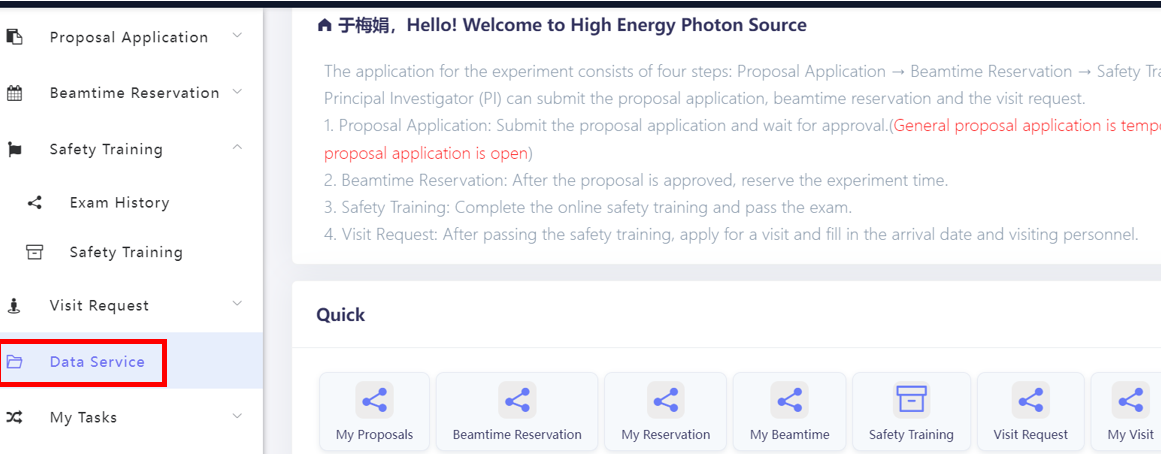
Data service menu in the system
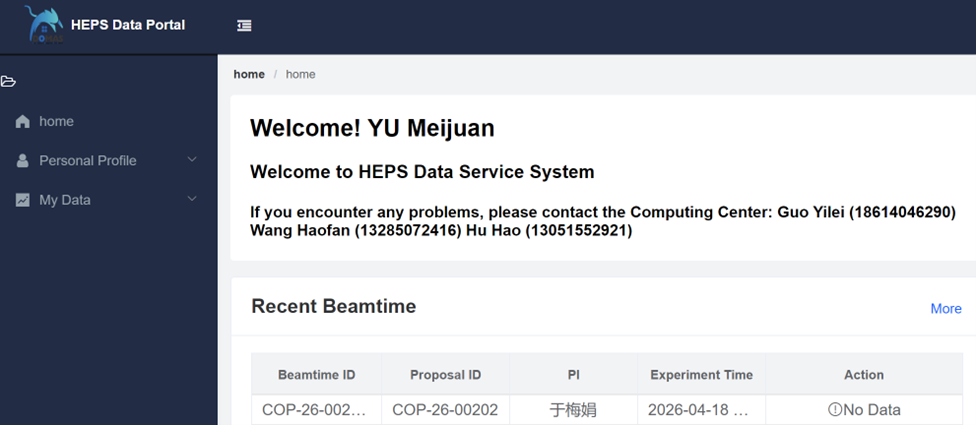
HEPS Data service system page
To meet the demand for high-speed downloading of large experimental data volumes from beamlines, HEPS provides users with dedicated high-speed data download terminals. These terminals are deployed in user lounges such as 05-123,07-101, 18-101, 24-125, and ID23-Structural Dynamics Beamline in experimental hall, are equipped with various mobile storage interfaces, and offer high-speed data download services.
The terminals run a self-developed dedicated client for high-speed data download: Users can log in to the terminal with their experiment account, open the dedicated client, connect a mobile storage device, and activate the high-speed data download service. Actual measurements show that the download rate for a single task can reach up to 19 Gbps.
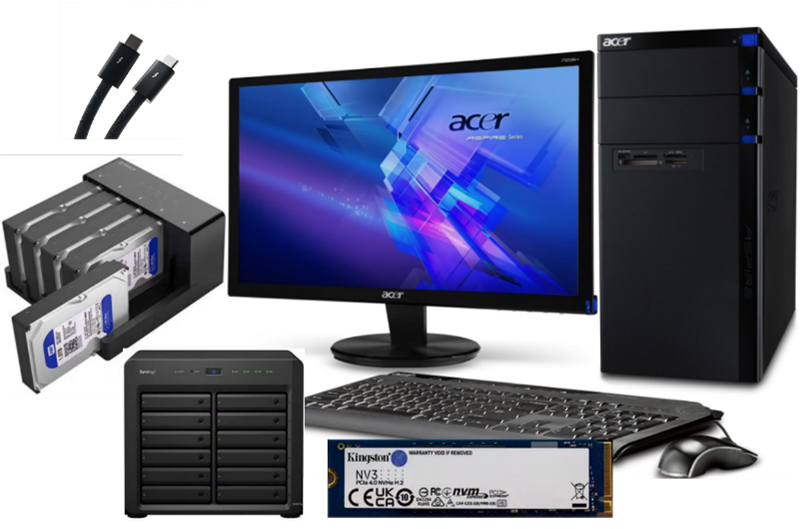
Dedicated All-in-One Machine for Data Download
The terminal supports a wide range of interfaces: including Thunderbolt 3/4, USB 3.2, and SATA interfaces.
Thunderbolt 3/4 interface: Suitable for NVMe protocol SSDs (such as M.2 NVMe drives);
USB 3.2 interface: Compatible with USB flash drives and portable hard drives (SATA protocol 2.5/3.5-inch drives);
SATA interface: Supports mounting SATA storage drivers(3.5’/2.5’).