 HEPS中文
AFTER EXPERIMENT
(1) Return user card and dosimeter card
When leaving HEPS, please return your user card and dosimeter card at the self-service station at the park entrance. In case of loss or damage, please contact the User Office immediately.
Notes:
Please remove the user card from its holder before returning it, and place the holder and lanyard back in their designated spots on the shelf.
Return the user card first, then the dosimeter card.
Operation Steps:
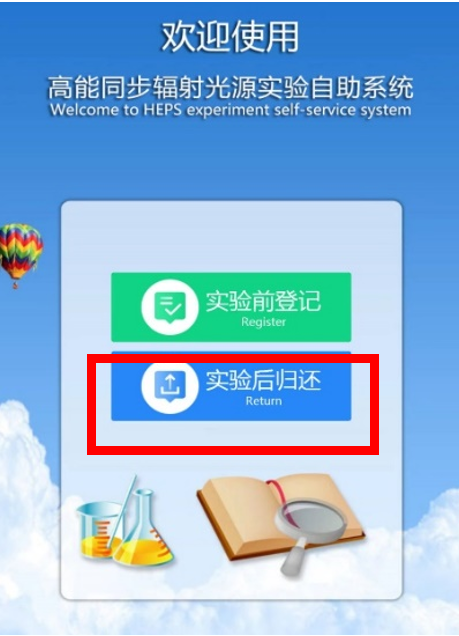
Click“Return”on the terminal screen
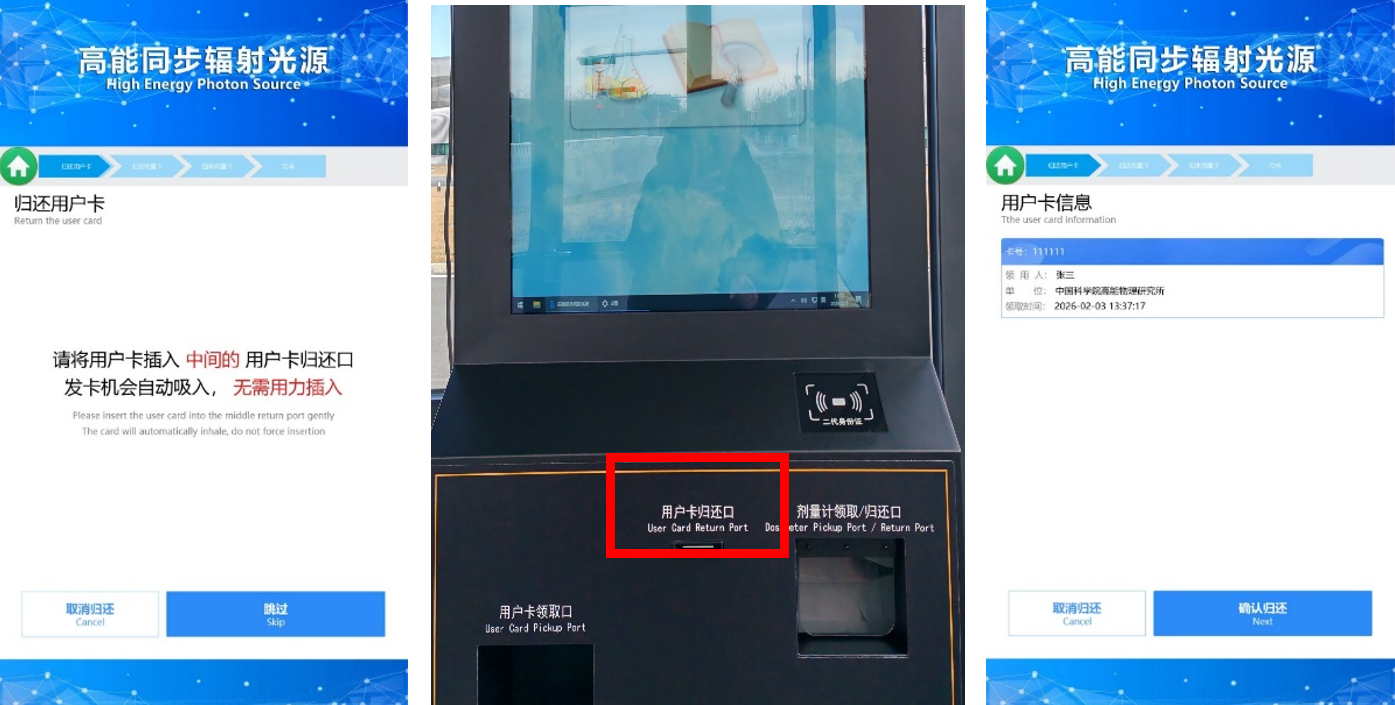
To return the user card, insert it into the [User Card Return Port] on the terminal (insert gently, the machine will pull it in automatically). After the system reads the user card information, click "Next".
To return the dosimeter card, place it into the [Dosimeter Card Pickup/Return Port] on the terminal, click [Next]. After the system reads the dosimeter card information, click [Next].
Dosimeter cards not dispensed from the terminal cannot be returned here.
If the dosimeter card number was entered manually when pickup, please also enter it manually when returning.
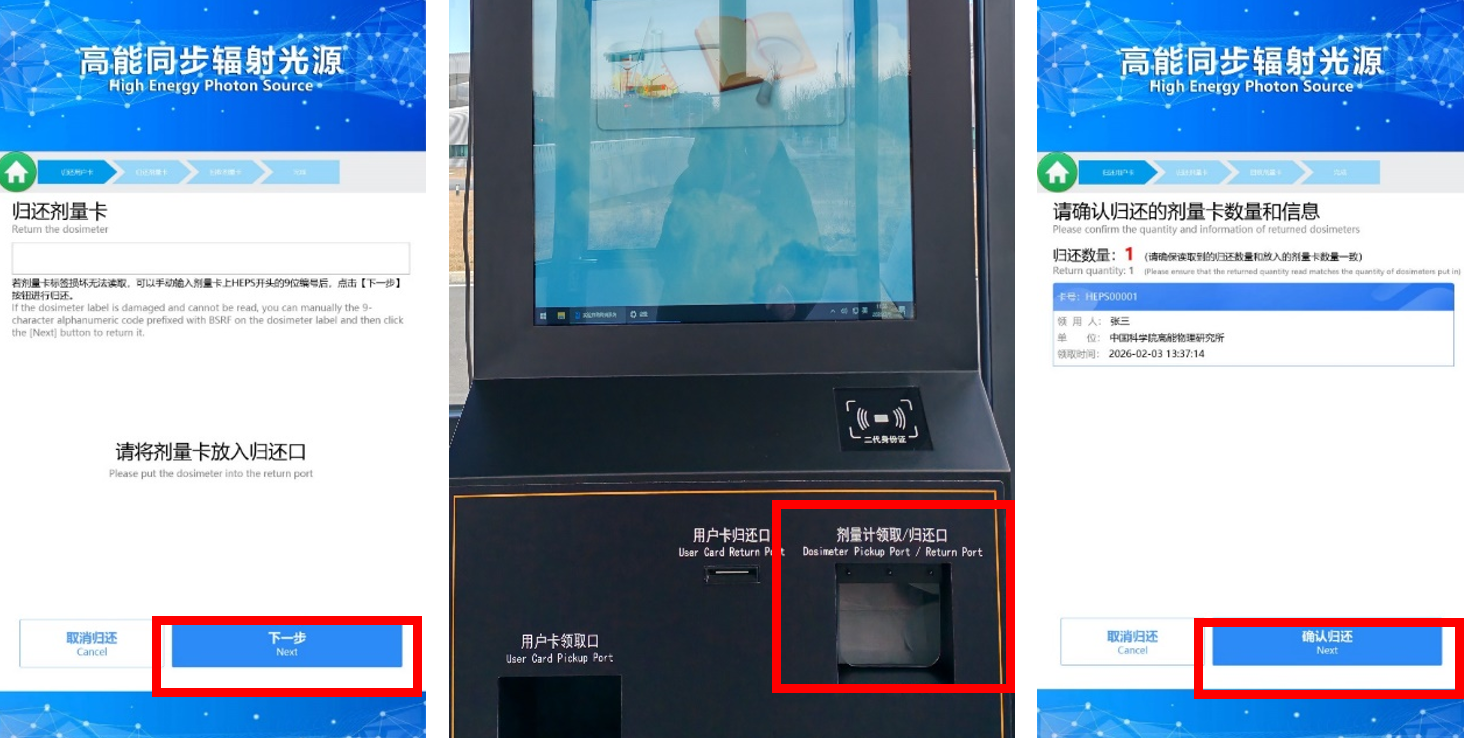
Dosimeter card returned successfully. The return process is now complete.
(2) Data download
Click the“Data Service”menu bar in the system to jump to the HEPS User Data Service System, or directly access it via the following URL (https://data.heps.ihep.ac.cn/) to download experimental data (The download account and password are the experiment account and password).
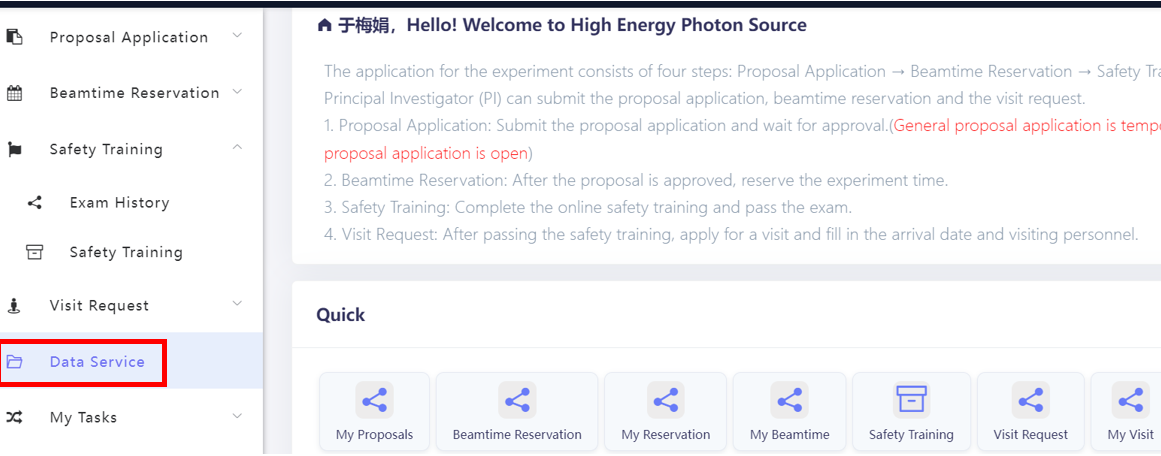
Data service menu in the system
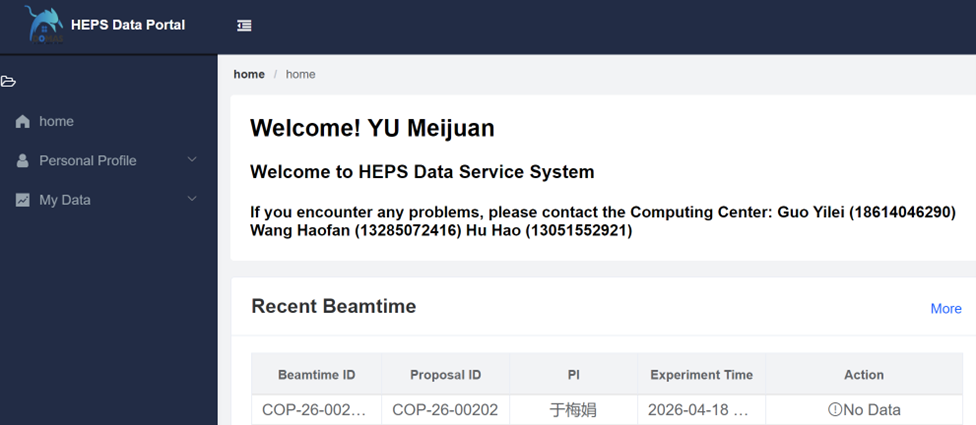
HEPS Data service system page
To meet the demand for high-speed downloading of large experimental data volumes from beamlines, HEPS provides users with dedicated high-speed data download terminals. These terminals are deployed in user lounges such as 18-101, 24-125, and 5-123, are equipped with various mobile storage interfaces, and offer high-speed data download services.
The terminals run a self-developed dedicated client for high-speed data download: Users can log in to the terminal with their experiment account, open the dedicated client, connect a mobile storage device, and activate the high-speed data download service. Actual measurements show that the download rate for a single task can reach up to 19 Gbps.
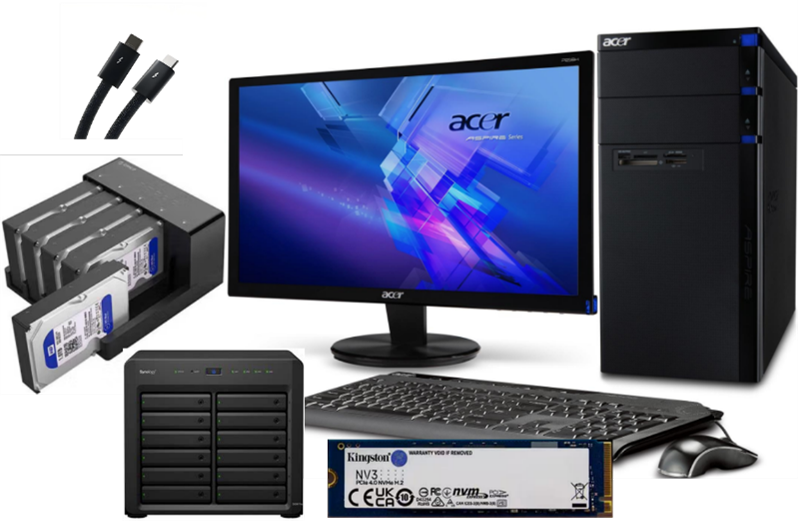
Dedicated All-in-One Machine for Data Download
The terminal supports a wide range of interfaces: including Thunderbolt 3/4, USB 3.2, and network NAS interfaces.
Thunderbolt 3/4 interface: Suitable for NVMe protocol SSDs (such as M.2 NVMe drives);
USB 3.2 interface: Compatible with USB flash drives and portable hard drives (SATA protocol 2.5/3.5-inch drives);
Network NAS interface: Supports mounting NAS storage devices over the network.
(3) Actual beamtime confirmation
After receiving the email notification from the system regarding the actual beamtime usage, please verify it as soon as possible. If you have any questions, please communicate with the Beamline staff.
(4) Experiment summary
Within 30 days after the experiment ends, submit the experiment summary via "My Reservation" in the system.
If there are any scientific outputs (papers, patents, awards, social benefits, etc.), please acknowledge according to "8. User Acknowledgment and Citation Identifier Code" and provide feedback in the system promptly after the output is published. Go to the "My Outputs" page and click "New" to fill in the information.
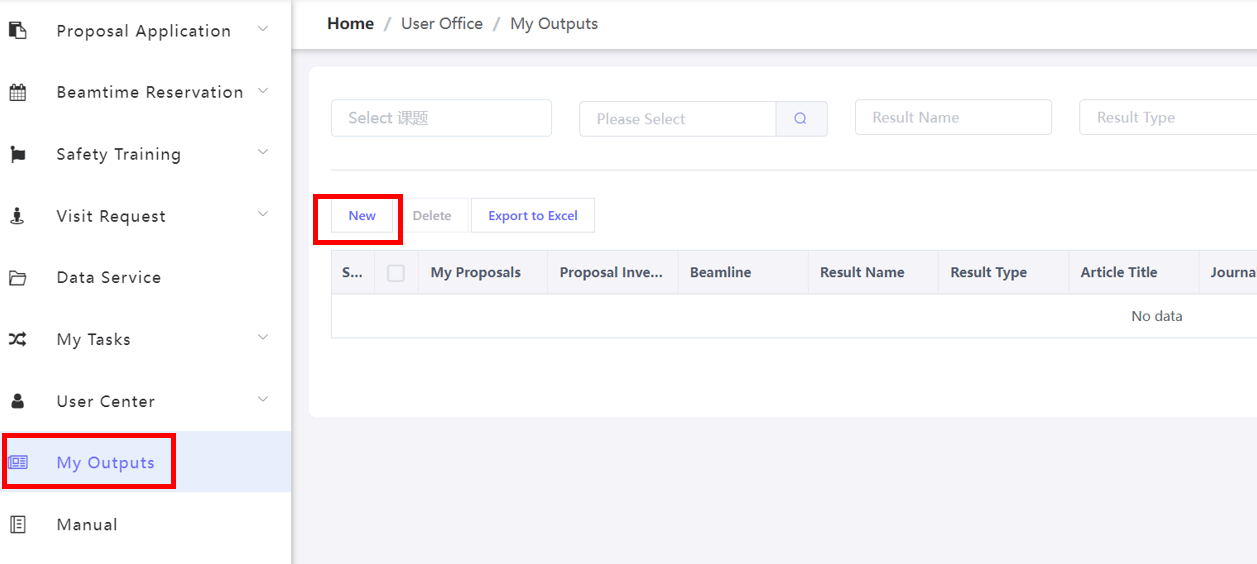
Outputs submission page
(5) Feedback
Please provide your feedback or suggestions via the following link or QR code.
|
Link to feedback: https://docs.ihep.ac.cn/link/BAF108449FCF744BCF933670D6FB911BBF |
|