
 HEPS中文
(1) Collect User card and Dosimeter card
Upon arriving at HEPS, users should complete self-service registration at the user self-service station at the park entrance to collect their user card and dosimeter card.
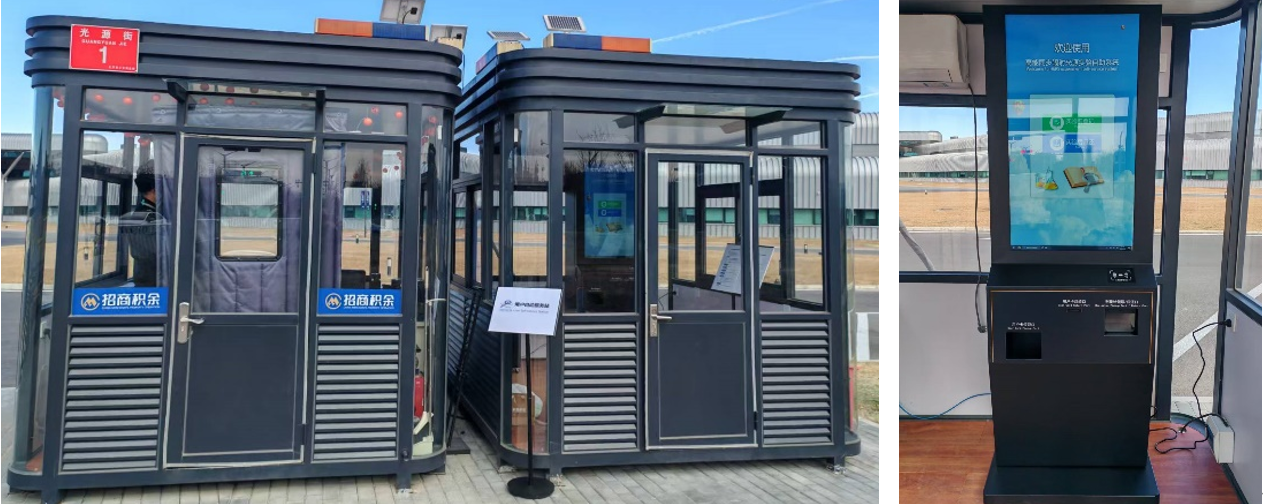
Fig.1 (Left) HEPS User Self-Service Station; (Right) Self-Service Terminal
Note: Only users who have been added as experiment visitors can perform self-service check-in registration at the terminal.
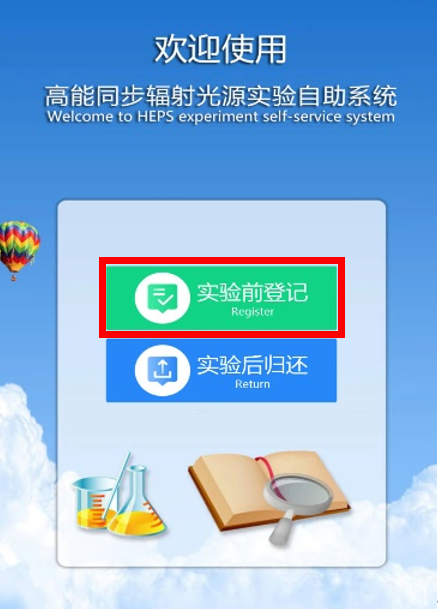
Click " Registration" on the terminal's touchscreen.
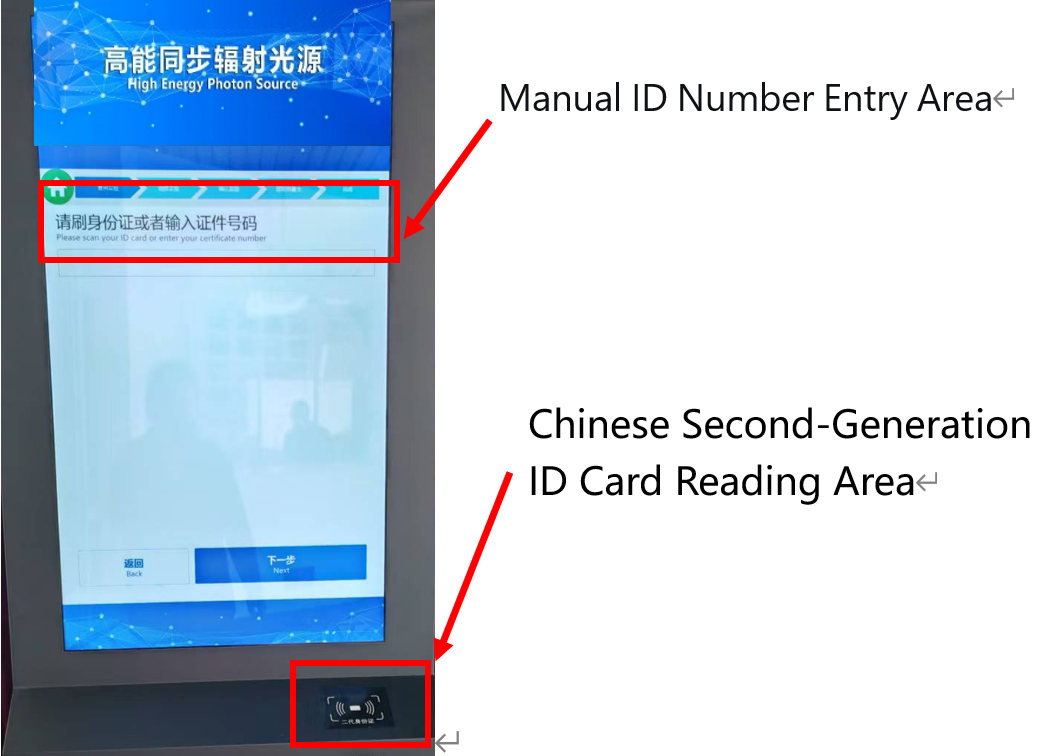
To query the experiment, place your second-generation ID card on the reading area or manually enter your ID card number, then click Next.
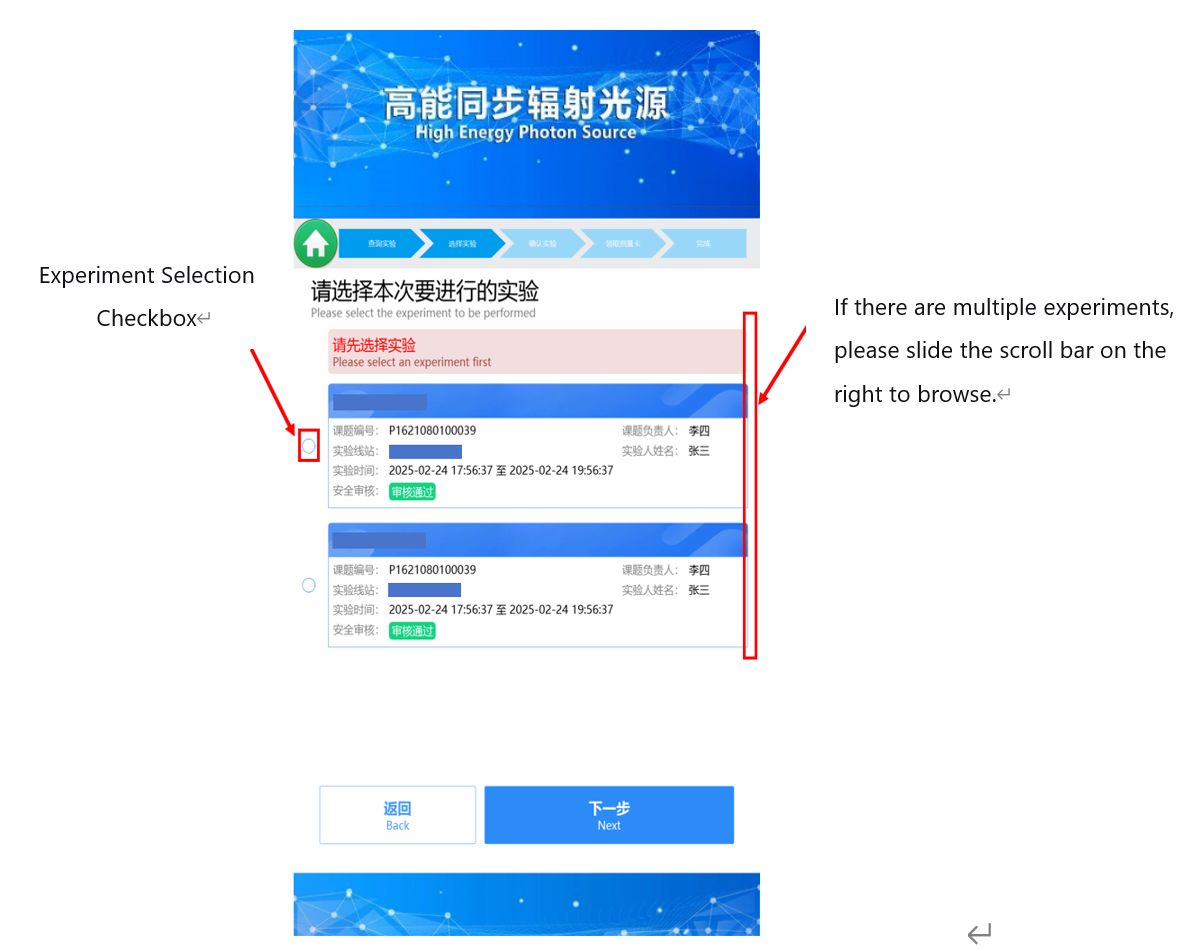
Select the experiment and click "Next". If there are multiple beamtime sessions, please browse by sliding the scroll bar on the right side of the screen.
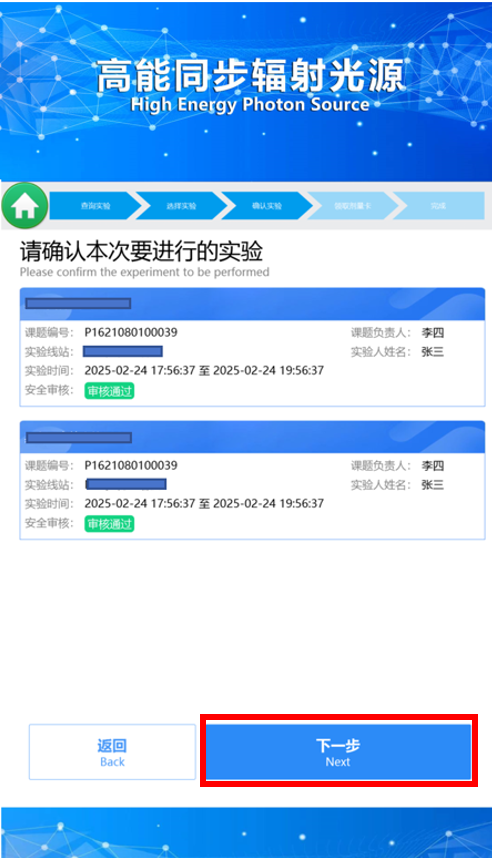
Confirm the experiment and click "Next".
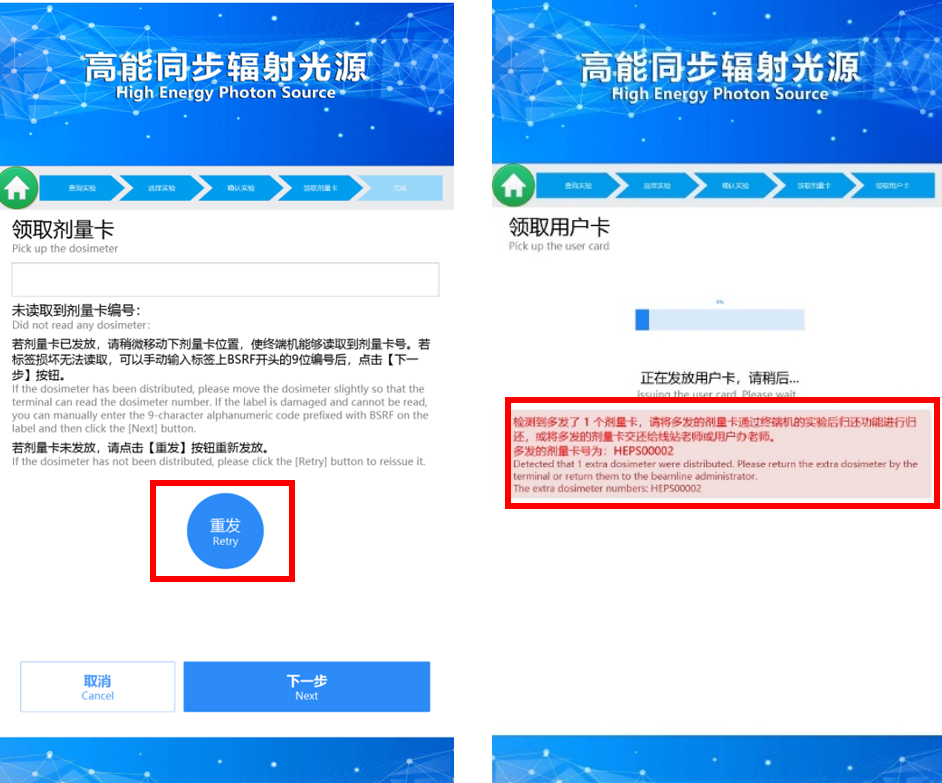
Wait for the dosimeter card and user card to be dispensed
If the dosimeter card is dispensed but the terminal does not read its number, please reposition the dosimeter card so the terminal can read the number; if it still cannot be read after repositioning, you can manually enter the 9-digit number starting with HEPS on the label and click“Next”.
If the dosimeter card is not dispensed, please click the“Retry” button on the screen.
If multiple dosimeter cards are dispensed, please return the extra cards immediately after the registration process using the “Return” procedure.
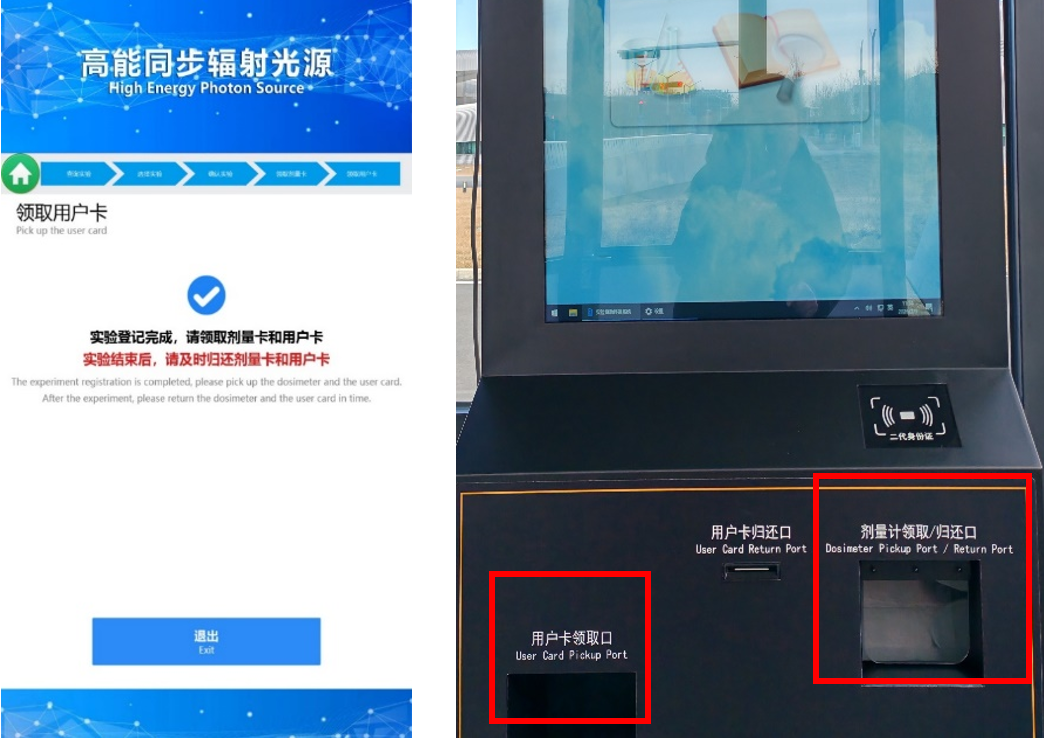
Collect the user card from the“User Card Pickup Port”and the dosimeter card from the“Dosimeter Card Pickup/Return Port” respectively to complete the registration.
Note: Card holders and lanyards are available on the shelf. Please place the user card in a card holder to prevent wear and tear that could affect its use.