
 HEPS中文
VISIT REQUEST
(1) Visit requirements
Visiting personnel must meet the following two requirements before they can be added as experiment visitors.
Have filled in their passport number during registration;
Have passed the "HEPS User Safety Training and Examination" and be within the validity period.
(2) Application process
In the "Visit Request" module of the HEPS User Service System, click the "Add" button under "Visit Purpose" to select the corresponding experimental beamtime, then fill in and submit the visit information for all personnel planning to conduct experiments on-site.
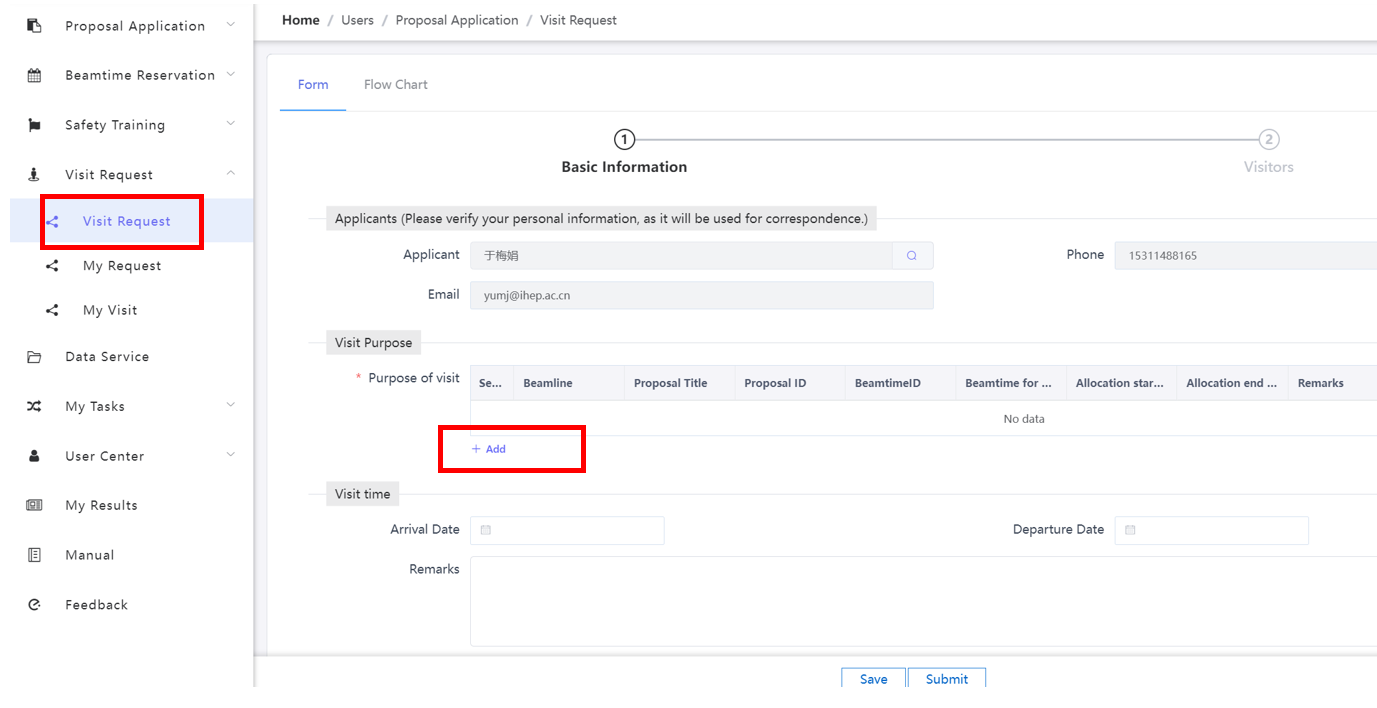
Visit request page
After submitting a visit request, if you need to add visiting personnel, please click "My Requests", select the corresponding visit request, and then click "Edit Visitors" on the right to add them.
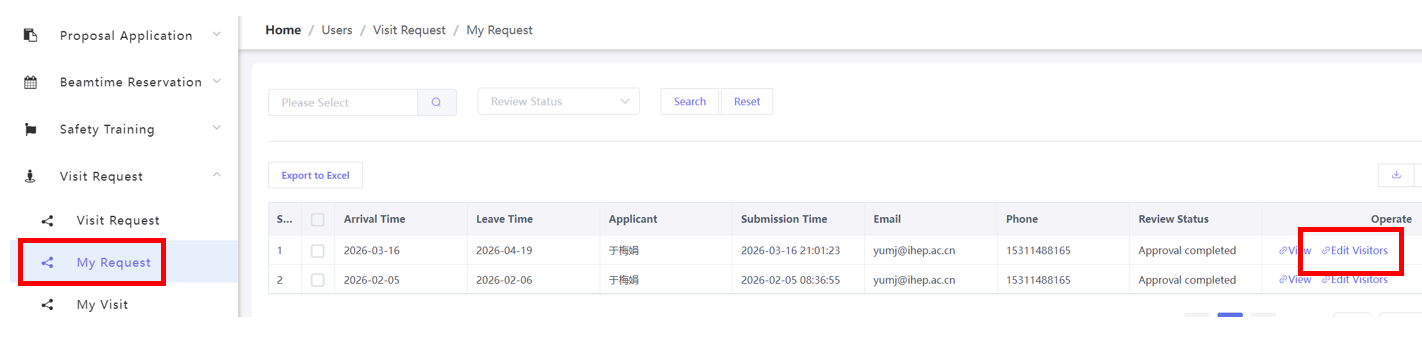
Fig.2 Add visiting personnel page
After the visit is approved,
All visiting personnel will receive an email notification from the system regarding the approval of their visit;
The proposal applicant and experiment contact will receive an email notification from the system containing information including the experiment account, password, and Beamtime ID.